

See why your WooCommerce store loses sales
Catch checkout errors, watch real shopper sessions, capture abandoned checkout leads and follow every funnel — in one dashboard, from one WordPress plugin.
Everything you need to stop losing sales
See how shoppers move through your store, catch what breaks the checkout, and turn abandoned carts into orders.
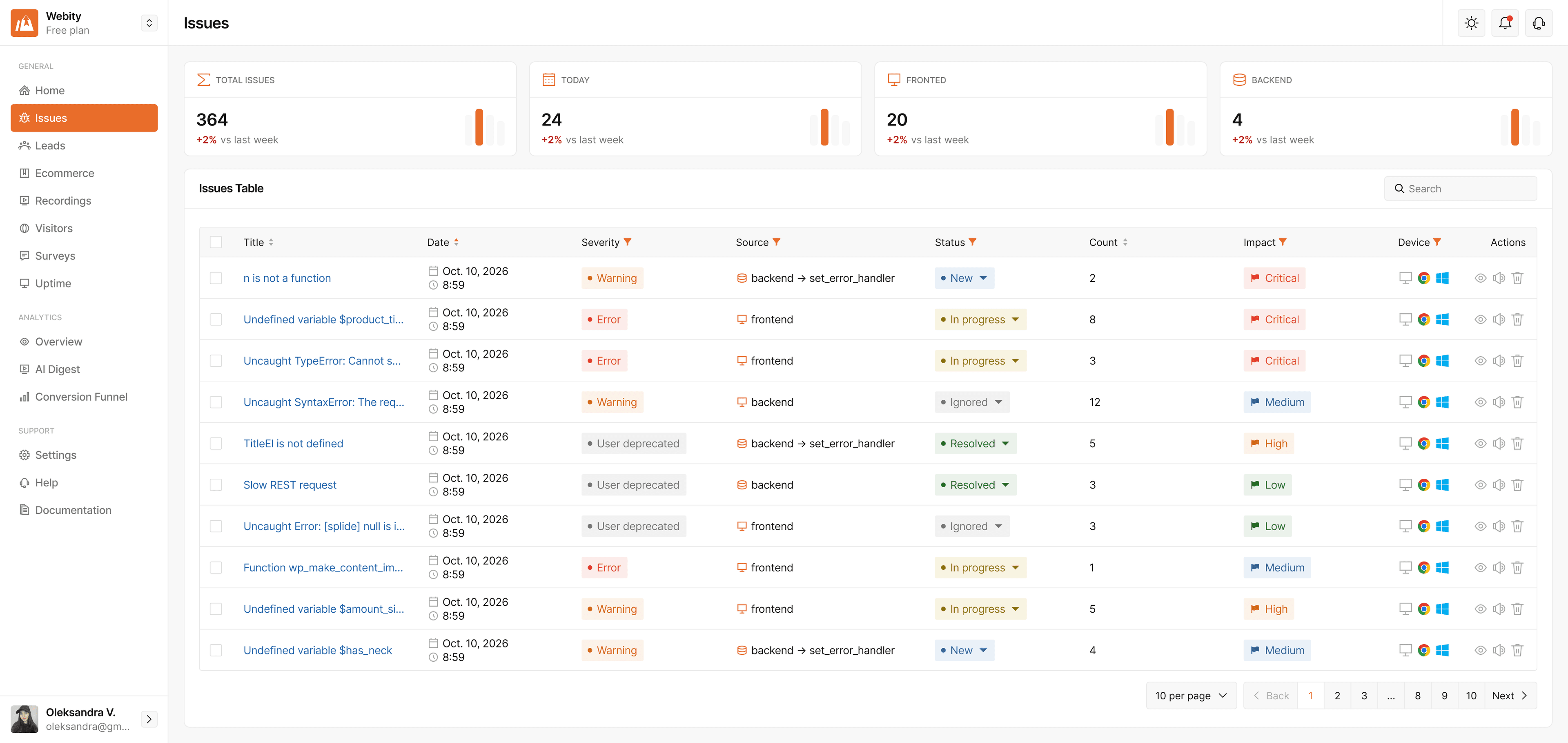
Error Tracking
StorePilot catches the errors that break your store — on product pages, in the cart and at checkout — and shows where and when they happen, so you can fix them before they cost you sales.
- Monitor new website errors
- See when and where each error happened
- View browser and device details for affected sessions
- Identify the pages and users affected by an error
- Watch the session recording connected to the error
- Understand how errors may impact leads and conversions
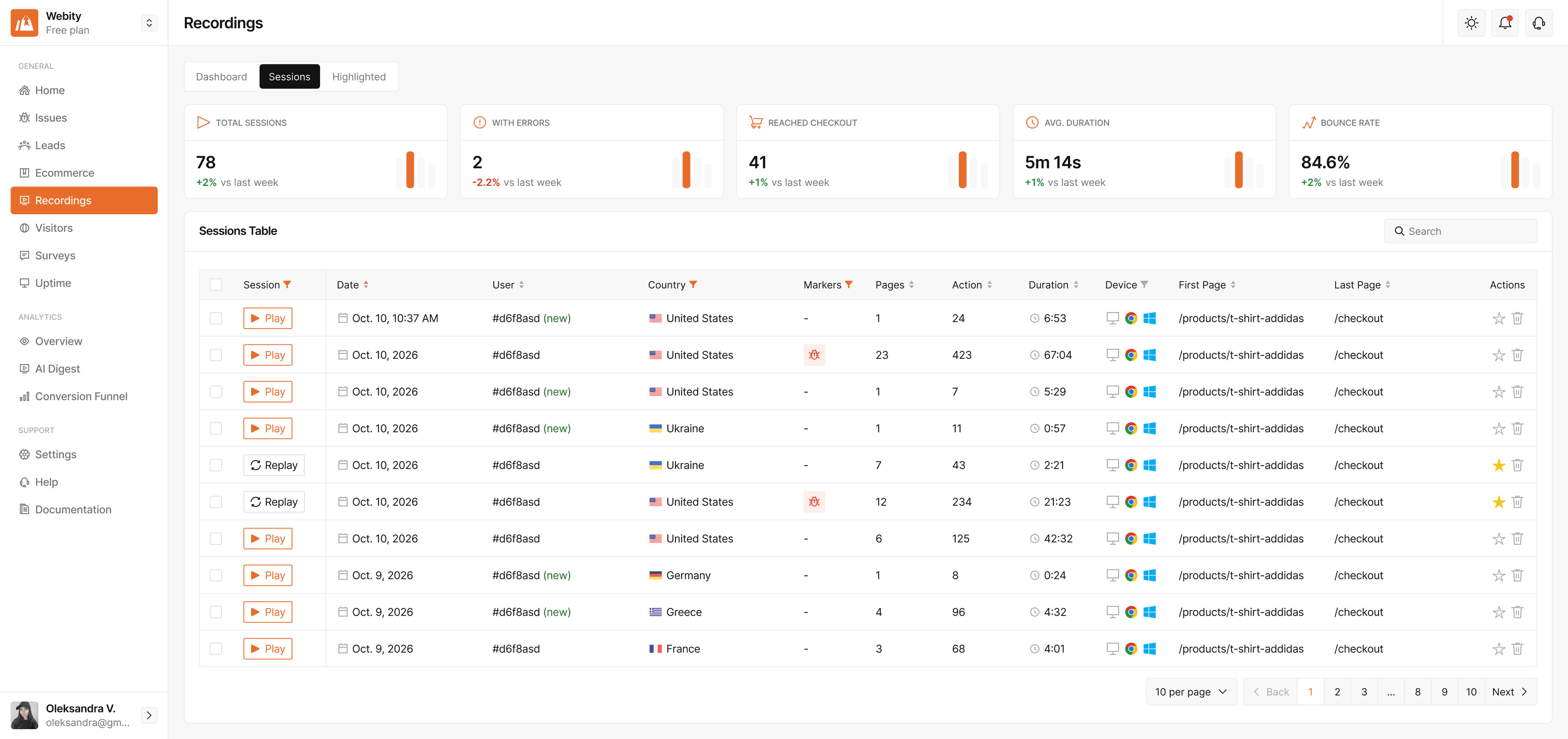
Session Recordings
Watch replays of real visits to see exactly how people move through your website — where they click, scroll, hesitate, and leave.
- Replay real visitor sessions from start to finish
- See clicks, scrolls, and page transitions in context
- Spot confusing layouts and friction points
- Find the moment visitors drop off before converting
- Jump from an error or a lead straight to its recording
- Share what you found with your team
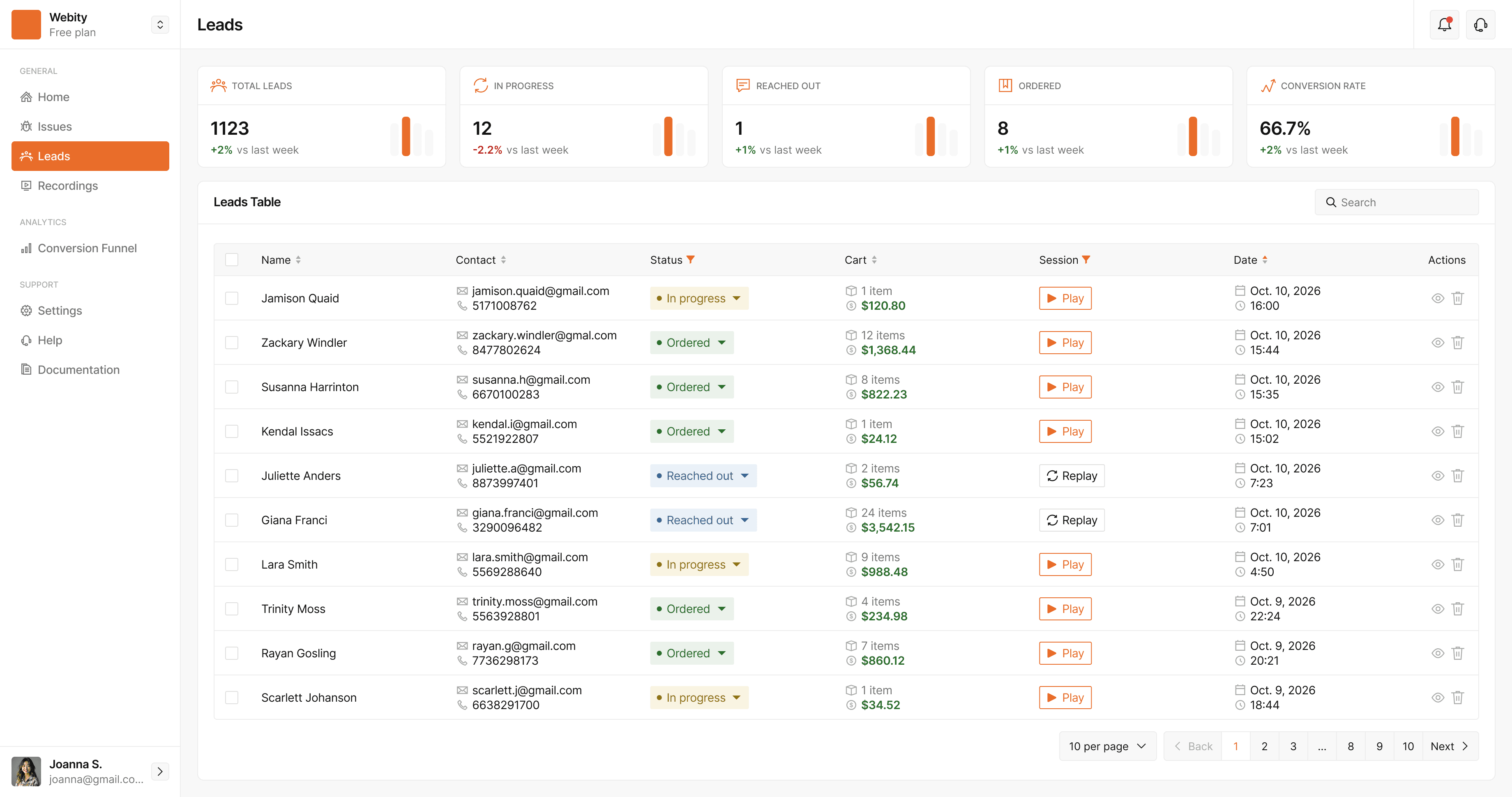
Leads Tracking
Capture checkout contacts as shoppers type them — even when they leave before placing the order — and follow every lead all the way to a paid order.
- Capture contact details as visitors type them
- See the cart value and items behind each lead
- Track each lead's status: in progress, reached out, ordered
- Watch the session that produced the lead
- Measure lead-to-order conversion over time
- Never lose a high-intent buyer to an unfinished form
Cart Recovery
Follow up on abandoned checkouts automatically. StorePilot schedules every reminder and stops the moment the customer orders — your store sends them through its own automation.
- Build follow-up sequences of up to five steps
- Set the delay, subject and message for each step
- Stops automatically once the customer orders
- Skips customers who refused consent or were muted
- Delivers each step to n8n, Make or any webhook
- Every customer gets each step once — never twice

Built for WooCommerce, works everywhere
Install the WordPress plugin and StorePilot connects to your WooCommerce store in minutes. On Shopify, Magento, Next.js or plain HTML, one lightweight snippet does the same.


Set up StorePilot on WooCommerce in 4 steps
Create your account
Click “Start for free” and sign up. No card, no trial countdown — it’s free during early access.
Install the plugin
Upload the StorePilot plugin to WordPress and paste your API key. Other platforms add one snippet.
Let data flow in
Visits, errors, leads and orders start appearing in your dashboard within a minute.
Fix what costs you sales
See which errors, pages and abandoned checkouts are costing you orders — and fix those first.
Free during early access
Get full access to StorePilot while we're in early access — including error tracking, session recordings, lead capture, cart recovery and funnels. No payment required.
$0/ during early access
- Full access to analytics, error tracking & visitor insights
- Session recordings, lead capture & cart recovery included
- Identify issues, affected pages & visitors in real time
- Replay the exact sessions behind website errors
- Track leads, conversions & customer behavior
- All integrations: WooCommerce, Shopify, Magento, Next.js, HTML
Why is it free?
We're currently in early access and want to build the product around real customer needs. That's why we're giving early users full access for free in exchange for honest feedback.
Questions, answered
What is StorePilot?
StorePilot shows WooCommerce store owners why their store loses sales. It catches JavaScript and PHP errors, records real shopper sessions, captures abandoned checkout contacts and runs cart recovery follow-ups — all in one dashboard, from one WordPress plugin.
How do I install StorePilot on WooCommerce?
Create a free account, download the plugin .zip from the setup wizard, upload it under Plugins → Add New → Upload Plugin, activate it and paste your API key. It needs WordPress 5.9+ and PHP 8.0+; lead capture needs WooCommerce 7.0+.
Is StorePilot GDPR-friendly?
Data is stored on servers in the EU, IP addresses are always anonymised, every form input is masked in recordings, and Global Privacy Control is honoured. You can require consent so nothing is collected until your cookie banner says yes. StorePilot acts as your data processor under a DPA.
How is StorePilot different from Hotjar or Microsoft Clarity?
Behaviour tools show you how visitors move. StorePilot is built around the store: it ties errors, checkout leads, orders and revenue to the recorded visits, so you can see which problems actually cost you sales.
Does StorePilot work with Shopify, Magento or a custom site?
Yes. Those sites connect with one script snippet and get errors, recordings, leads, analytics and funnels. Orders, products, cart contents and PHP errors come from the WordPress plugin, so they're WooCommerce-only.
Why is StorePilot free?
We're in early access and building the product around real stores' needs, so every feature is free — no card required — in exchange for honest feedback.